


What Causes Dark Spots on a Projector?
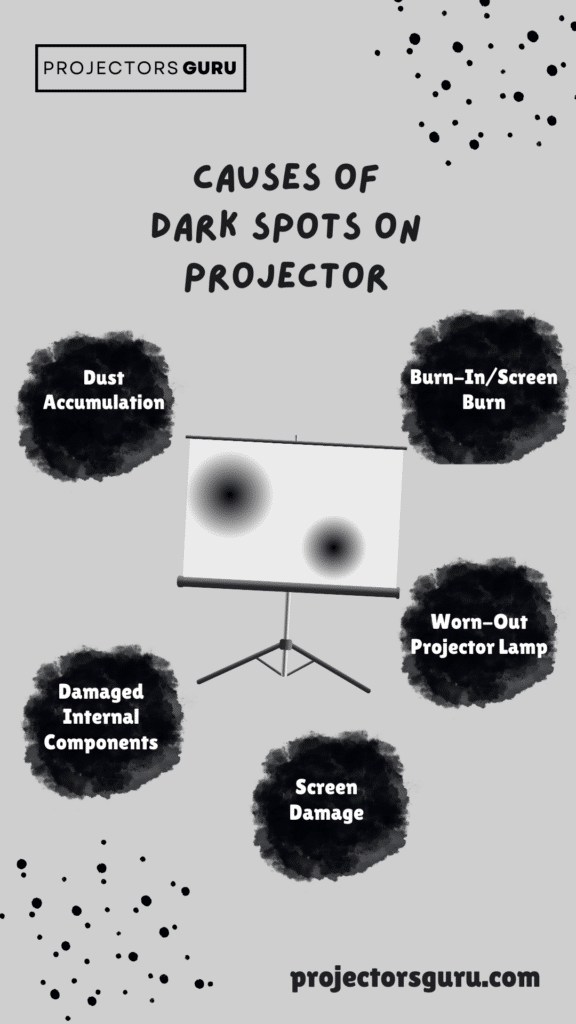
Visual experiences on your big screen projector are always one of a kind. However, seeing some disturbing dark spots could also be a worry. Now, the question is, what causes these dark spots on a projector screen? Dark spots on a projector can impact image quality. Here are the common causes;Dust Accumulation
Dust on the lens often leads to dark spots.- Dust buildup on internal parts can cause dark spots on a projector image.
- Regularly cleaning the lens with a lint-free cloth prevents this.
Burn-In and Overheating
Overheating can cause black or yellow spots.- Black spots on a projector image may result from prolonged use and overheating.
- Ensure proper airflow and the cooling fan works properly to avoid damage.
Damaged Lamp
An old lamp can cause black or yellow spots.- Aging lamps often create black spots or yellow spots on the screen.
- Replace the projector lamp to restore optimal image quality.
Screen Burn
Static images can cause permanent dark spots.- Projector screen burn occurs from displaying static images too long.
- Turn off the projector when not in use to prevent screen burn.


My Review of the AuKing 2025 Upgraded Mini Projector
I’ve been using the AuKing 2025 Mini Projector, and it’s great for the price! The Full HD 1080p resolution is sharp, and I love the 200-inch projection. It’s extremely quiet, with minimal fan noise, and the bulb has a lifespan of up to 55,000 hours. The dual stereo speakers are decent, though I use external speakers for better sound. It’s easy to connect to smartphones, laptops, and TV boxes. Please note that streaming apps require a TV stick or Roku device.
Pros
- Full HD 1080p resolution
- Projects up to 200 inches
- Long bulb life (55,000 hours)
- Low fan noise
- Portable and easy to connect

Credit: projector1.com
Fixing Dark Spots on a Projector
If dust is causing the issue, cleaning the lens and internal components is the first step. Here’s how to do it;Cleaning the Projector
For a dark spot on projector, first of all, you need to check if your projector requires a bit of cleaning.- Turn off the projector and let it cool down completely.
- Unplug the device to avoid any risk of electric shock.
- Use a lint-free cloth to gently wipe the projector lens.
- If necessary, use a can of compressed air to clean inside the projector and remove dust spots.
- For stubborn dirt or smudges, use a lens cleaning solution designed for projectors.
Check the Cooling System
A faulty cooling operating system can cause overheating, which may lead to burn spots or discoloration. Here’s how to check it;- Ensure the cooling fan works properly by turning on the projector and listening for the fan noise.
- Clear any dust or debris blocking the airflow.
- Replace the fan if it’s not functioning correctly.

Replace the Projector Lamp
If your projector black spot or yellow spot is caused by a worn-out lamp, you’ll need to replace it. Most projectors allow for easy lamp replacement. Follow these steps;- Purchase a compatible replacement lamp for your projector model.
- Turn off the projector and unplug it.
- Open the lamp housing and remove the old lamp.
- Install the new lamp, ensuring it’s seated correctly.
- Close the housing, plug in the projector, and power it on to test the new lamp.
Credit: l5gc.com
Preventing Dark Spots for the Future
To prevent future occurrences of spots on a projector, regular maintenance and mindful usage are essential. Here’s how to keep your projector in good condition;- Regularly clean the lens using a lint-free cloth and compressed air.
- Ensure the cooling fan is working and that the projector has proper ventilation.
- Avoid extended use of static images to prevent screen burn.
- Replace the projector lamp as needed to avoid black mark or yellow or even white spots.
- Upgrade or use an alternative browser if you notice any compatibility issues with how the projected image is displayed on other websites. Seeking professional help is always a good option.
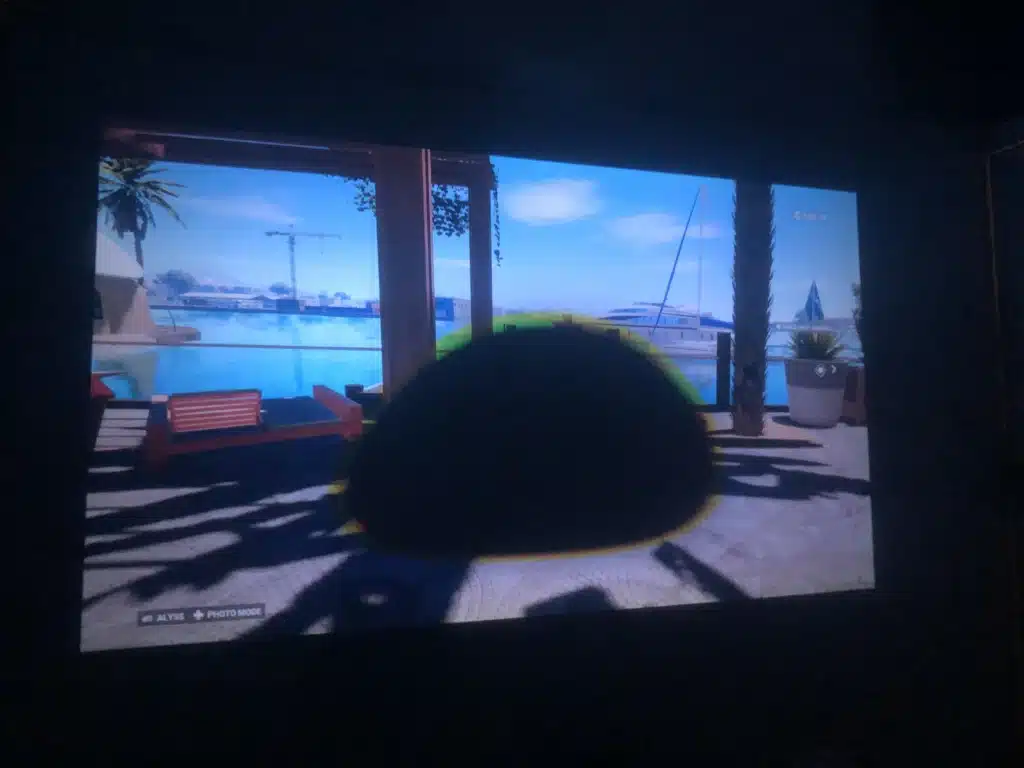
Credit: reddit.com
Final Thoughts
Summing up, resolving a dark spot on projector image can bring back the best possible viewing quality. Simple fixes for frequent problems like black or yellow spots on the projected image include checking the cooling fan, changing the projector lamp, and cleaning the lens on a regular basis using a lint-free cloth. In the event that these fixes are unsuccessful, expert repair may be required. You may avoid having black, dark, or yellow blotches on your screen by taking good care of your projector. In conclusion, to prevent more problems, keep your projector clean and keep an eye on its operation. SAY GOODBYE TO THOSE DARK SPOTS!FAQ’s
Here’s a quick look at the FAQs to solve your dark spot dilemma.
Why is there a “shadowy guest” on my screen?
A dark spot ruining your view? It might be dust sneaking onto the lens, an old lamp giving up, or a moody DLP chip acting up. Give it a good clean or call in the experts for a fix!
Can I fix this myself, or do I need a projector guru?
Got some dust? Grab a microfiber cloth and show your projector some love! If the dark spot sticks around, it might be time for a pro to step in.
Is my projector toast if it has dark spots?
Don’t worry, your projector’s not on its last legs just yet! A little TLC or a small part replacement could bring it back to life.
When should I call in a pro?
If a cleaning session doesn’t do the trick, or if the dark spot starts flickering or spreading, it’s time to consult a technician before things get worse.
How can I prevent these pesky dark spots from coming back?
Regular maintenance is key! Keep your projector clean, replace lamps as needed, and store it in a dust-free area to keep those shadowy guests at bay.